
 TuniTV
Films and series on your TV. No ads.
Egyptian and Turkish series, this Ramadan's series as they come out, Arabic classics back to the 1930s, Tunisian films and series, and the world's films with Arabic subtitles: over 18,000 titles in one app made for the remote. Subtitled or dubbed, you see it before you press Play.
Version 0.1.2 · 2.5 MB · Android 6.0+
Features
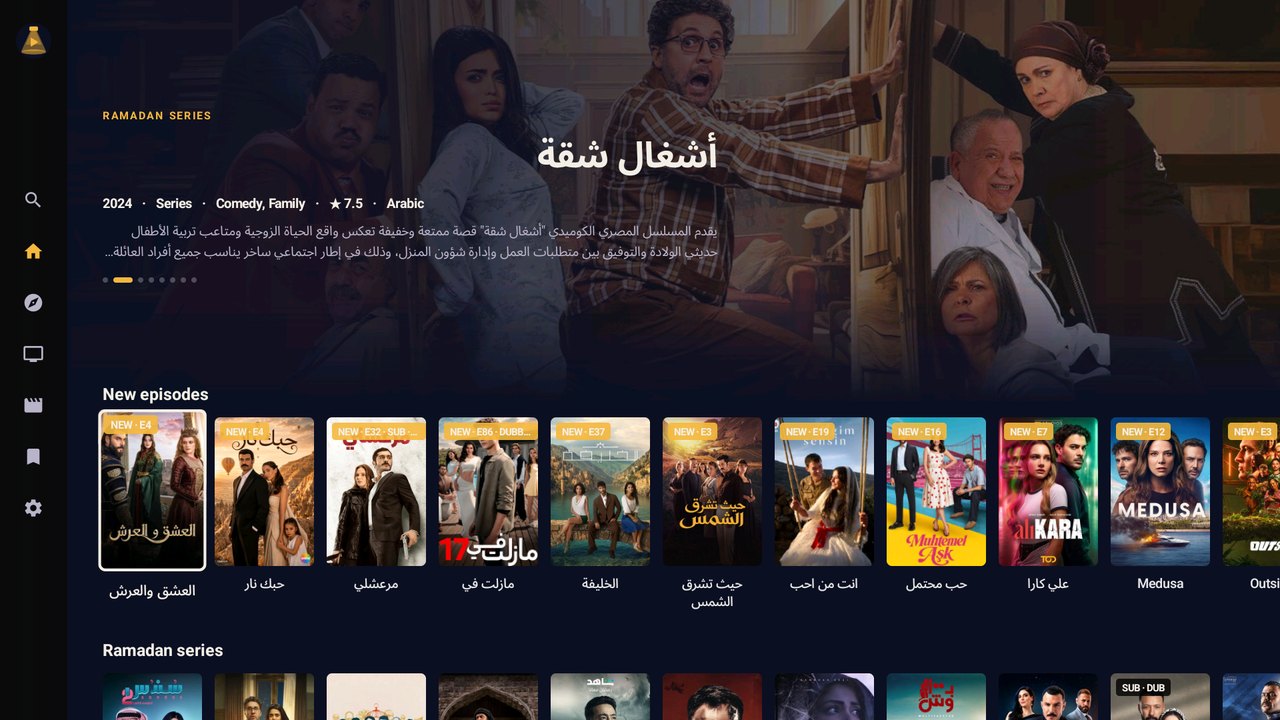
Home: Ramadan series, new episodes and Egyptian series first
What this audience watches, first: Ramadan series, the newest episodes, Egyptian and Turkish series, Arabic classics and Stars rows, not whatever was uploaded last.
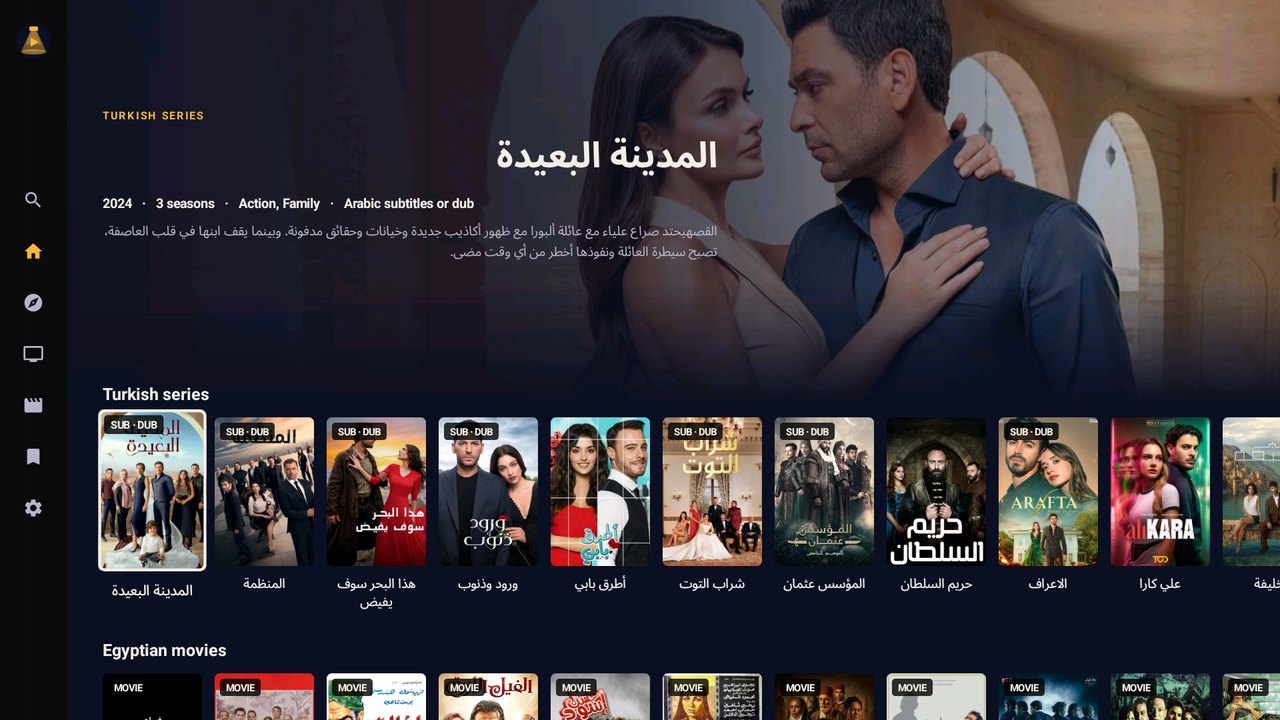
Turkish series, subtitled or dubbed, the version on the poster
Subtitled or dubbed, before Play: the poster and the show page say it, and a series that has both lets you choose.
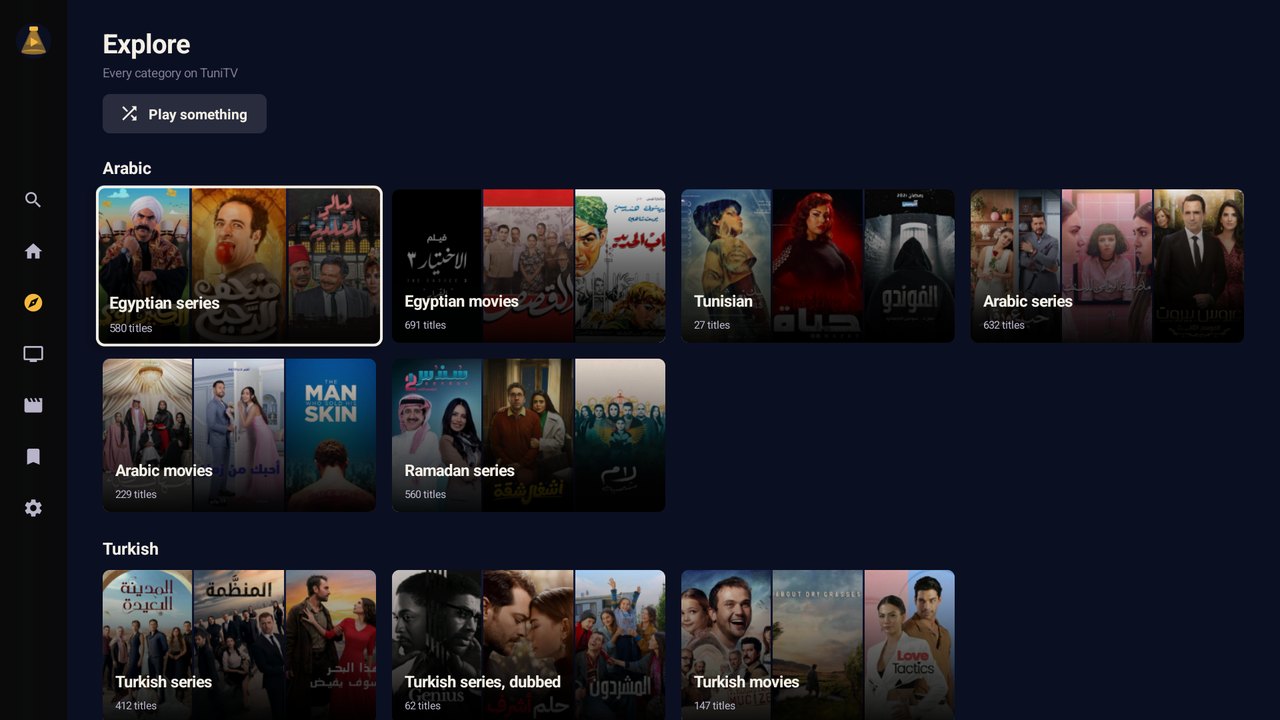
Explore: Egyptian, Tunisian, Arabic classics, Turkish, Stars…
Arabic classics back to the 1930s, by decade, and a Tunisian row with films and Ramadan series.
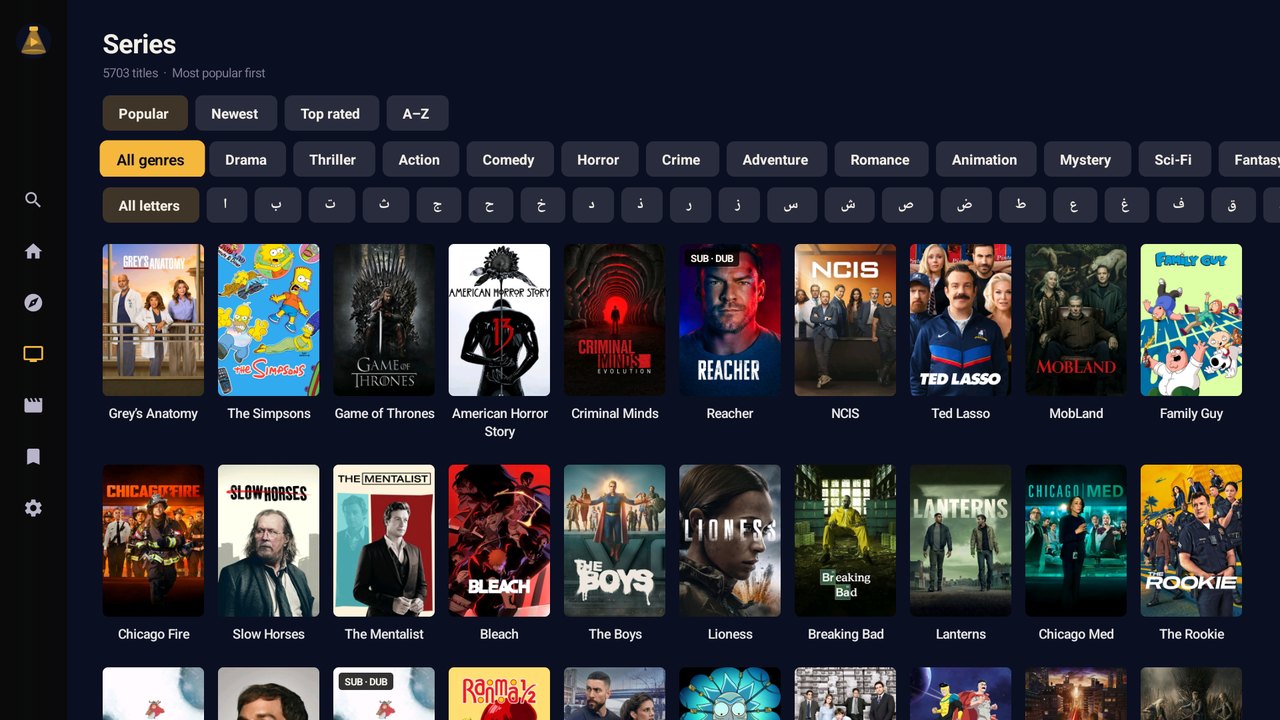
Every series, by genre, letter, newest or best rated
Play something when nobody can decide, More with an actor on every page, and Because you watched.
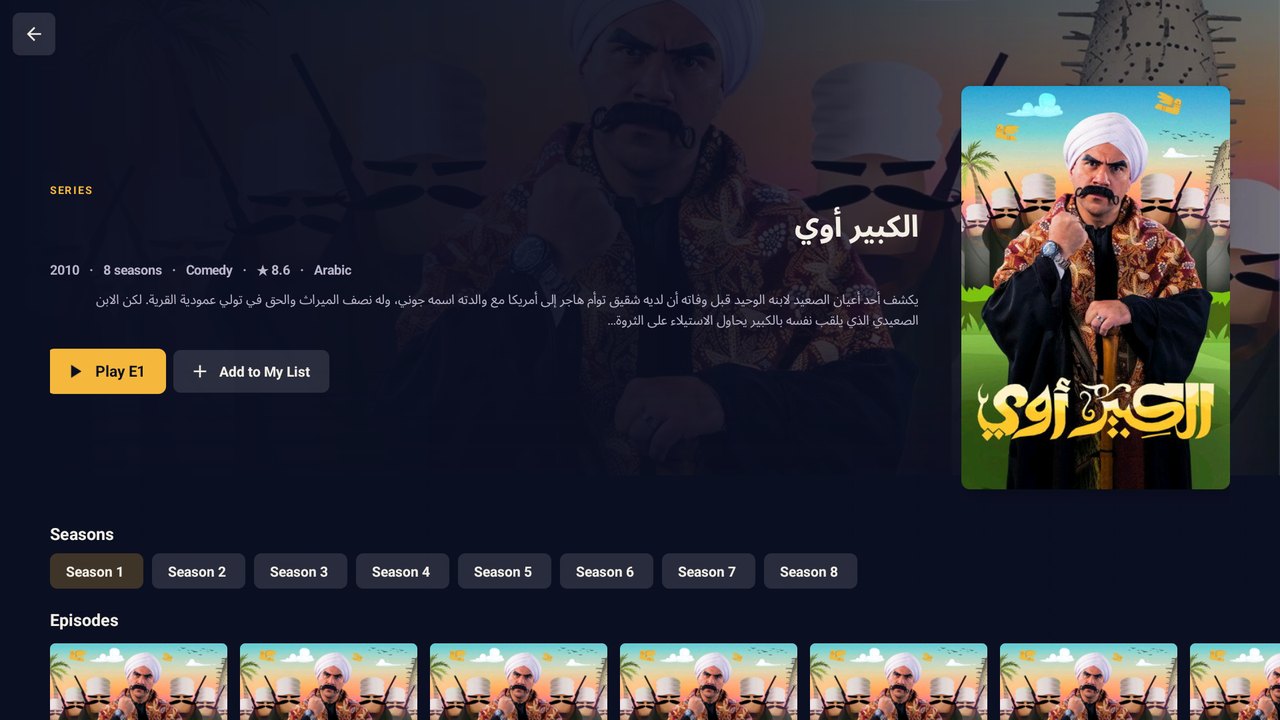
Show page: every season and episode
Every season: several sources joined into one page, so the seasons one of them lacks are still there.
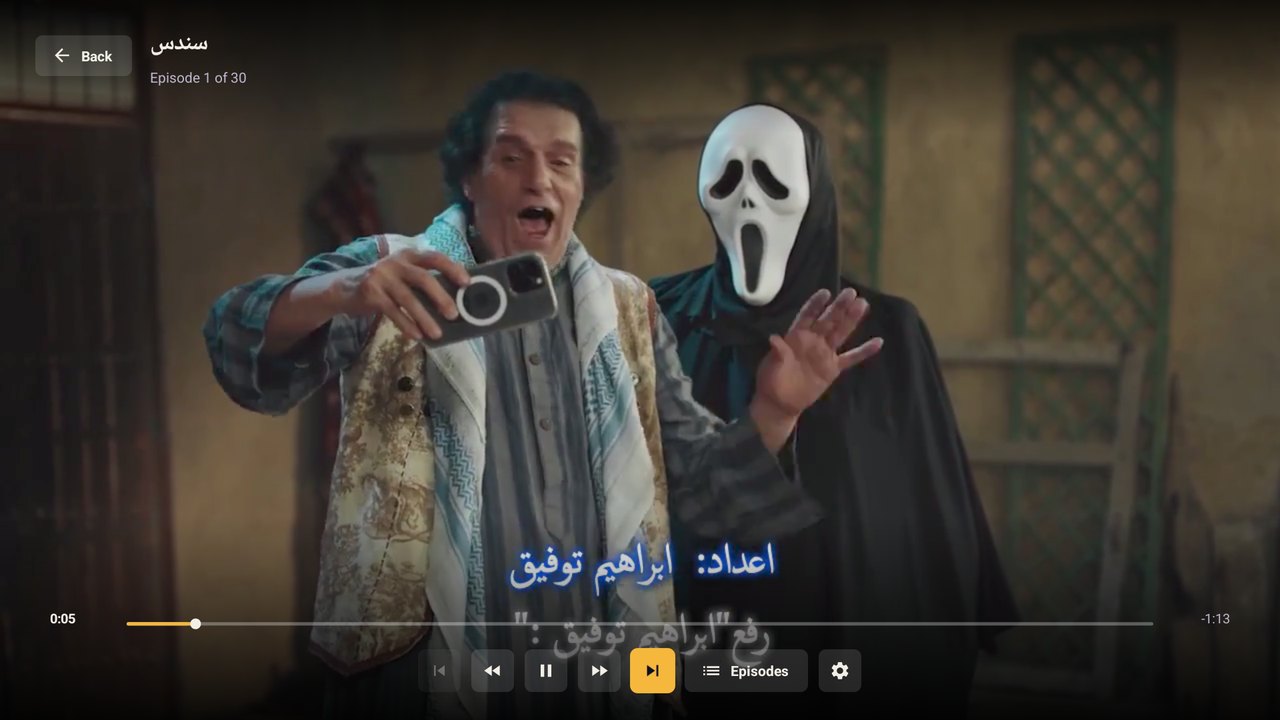
Full-screen player, the next episode starts by itself
It just plays: several servers behind each episode; if one fails, the next starts by itself, from the same second.
And also
Kids mode
Your kids see only what you allow, with an optional daily limit.
No ads, no pop-ups
The app never opens the websites.
Always up to date
The app tells you when a new version is out and installs it in one tap.
TV and phone
Made for the remote, just as easy by touch, in Arabic, French or English.
Download
Install the free Downloader app on the TV, open it and type the app's code. Downloader fetches the app and installs it.

Or scan with your phone to download it there.
TuniTV
Prices
Pay in dinars for a year, then we send your code. No subscription that renews by itself.
Details
What you need
- A device: Android TV, Google TV, Fire TV, or an Android phone or tablet.
- Android 6.0 or newer.
- Internet: 5 Mbps or faster for HD.
- An activation code for one TV.
- On a TV: the free Downloader app (see the install guide).
- Not for iPhone, iPad, Apple TV, or Samsung (Tizen) and LG (webOS) TVs.
Permissions
Internet, the network state (to know when you're back online) and installing its own updates (Android asks you first); on phones, notifications for new episodes of saved series (Android asks first). The app has no access to your files, camera, microphone, contacts or location.
What's new
- 0.1.2 · 2026-10-14
Search on a TV: after typing with the TV's keyboard, the remote goes straight back to the results. A title written with Arabic digits (٦ ايام) is found with ordinary ones. Films say "movie", not "episode". - 0.1.1 · 2026-10-13
Almost 30,000 films and series, a synopsis on every page, a picture for each episode, servers numbered (Server 1, 2…), a broken server skipped in a second, faster starts, and messages that say what to do when the internet or a site is down. - 0.1.0 · 2026-10-12
First preview.
Check the file
c982d5ba284a35c5307f964f306859d260774be83ce398ede1b35b9d9b986c24DC:50:19:98:3E:59:73:7C:56:D1:B3:FC:51:9D:A9:78:5B:E1:D6:D8:27:93:B8:DE:43:43:64:F3:7E:02:78:F5TuniTV is an unofficial app. It plays films and series published on public websites and doesn't host or own any video. Not affiliated with those websites or with the rights holders.
Your download has started
When it finishes, tap the download (in the notification or in Downloads) and choose Install. If Android asks, allow your browser to install apps.
TV browsers don't open the app after downloading. The easiest way: open the Downloader app and type
Downloader installs it right away. Or open this browser's Downloads, choose toons.apk and press Install.