 Circle TV
 Toons TV
Arabic cartoons on your TV. No ads.
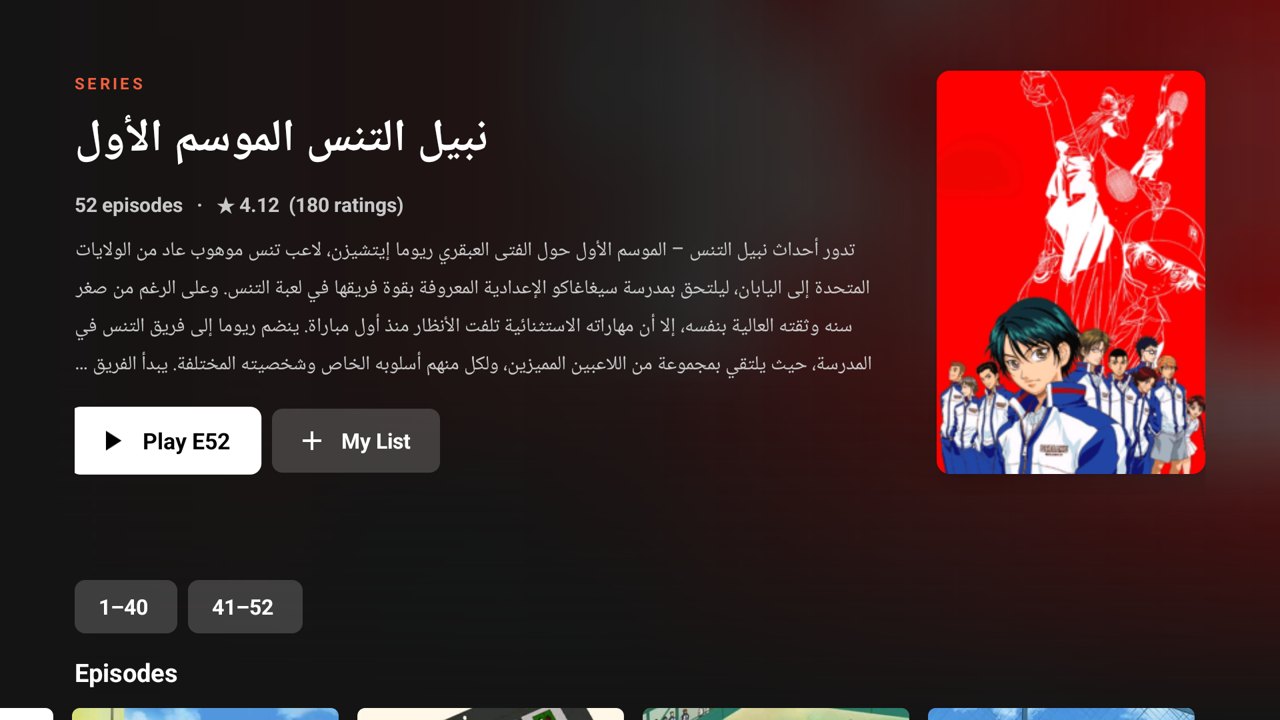
Over 1,400 series and movies from arabic-toons.com in a clean app made for the remote. Pick up where you stopped, browse by genre, and the next episode starts by itself.
Version 2.8.0 · 178 KB · Android 6.0+
Features
- Calm Classics: hand-picked gentle, meaningful cartoons like Sally, Heidi, Remi and Pollyanna.
- Parental lock: your kids see only the cartoons you approve. Your PIN unlocks the rest.
- No ads, no pop-ups: the app never opens the website.
- Continue Watching picks up every episode where you stopped.
- Genres: adventure, comedy, sports, animals and more.
- Every season of a show, grouped automatically.
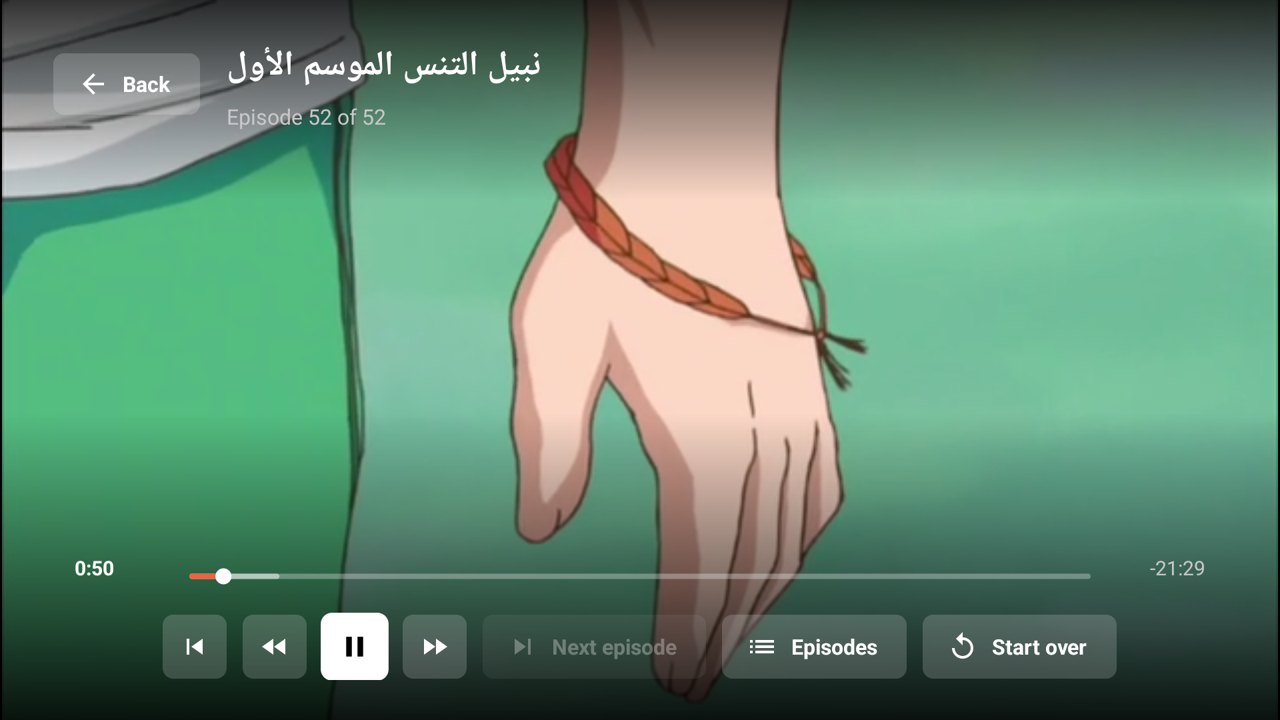
- Next episode starts by itself after a 10-second countdown.
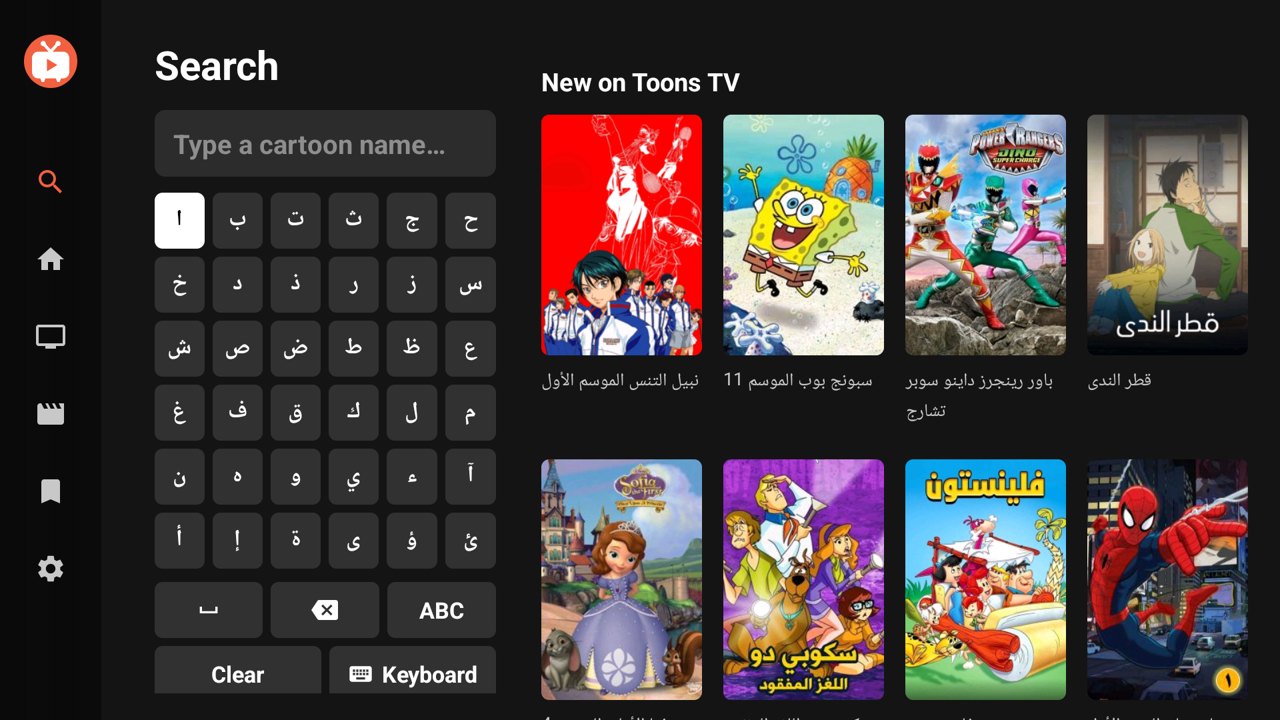
- My List, Arabic search, and an A–Z of every series.
Screenshots
Download
On a TV, type this address in the Downloader app:
apps.perfectcircle.site/toons.apk

Or scan with your phone to download it there.
Prices
Pay once for the time you want. No subscription that renews by itself.
1 month
3 months
1 year
Best valueBuying opens soon. Check back in a few days.
Details
What you need
- A device: Android TV, Google TV (Chromecast with Google TV, Sony, TCL, Hisense, Philips…), Fire TV, or an Android phone or tablet.
- Android 6.0 or newer.
- Internet: 3 Mbps or faster. An episode uses about 120 MB.
- An activation code: 1 month, 3 months or 1 year, for one TV.
- On a TV: the free Downloader app (see the install guide).
- About 10 MB of free space.
- Not for iPhone, iPad, Apple TV, or Samsung (Tizen) and LG (webOS) TVs.
Permissions
Internet only. The app has no access to your files, camera, microphone, contacts or location.
What's new
- 2.8.0 · 2026-10-05
The app now speaks French and Arabic (with a right-to-left layout), following your device or chosen in Settings. Parents can choose cartoons from the whole catalogue, even while the app is locked. - 2.7.1 · 2026-10-04
On phones, “More like this” sits right under the Play button (Episodes | More like this). Fixes a rare crash at start. - 2.7.0 · 2026-10-04
Much lighter on data: covers are kept for good and catalogue pages for hours, episode pictures load as you scroll. “More like this” on every show. Phones open straight in portrait. - 2.6.0 · 2026-10-04
Calm Classics, a hand-picked row of gentle, meaningful cartoons, and a parental lock: kids see only the cartoons you approve. - 2.5.1 · 2026-10-04
One-tap updates: Settings → Update downloads the new version, checks it, and installs it over this one (Android asks once for permission). - 2.4.0 · 2026-10-04
Phones: four clear tabs (Home, Browse, Search, My List), all series and movies load as you scroll, episodes in a grid, a fitted Settings page and the clock visible. Everywhere: a Fill screen button in the player. - 2.3.1 · 2026-10-04
On phones, the banner at the top of Home now scrolls away with the page instead of showing through the rows. - 2.3.0 · 2026-10-04
Made for phones too: portrait browsing with a bottom menu, search with the phone keyboard, double-tap to skip 10 seconds, and a seek bar you can drag. - 2.2.2 · 2026-10-04
The whole search keyboard now fits on phone screens too, with no cut-off rows. - 2.2.1 · 2026-10-04
Search keyboard fits every screen (Delete and Space on top), and an A–Z filter for movies. - 2.2.0 · 2026-10-03
Genres on the Series and Movies screens, a simpler activation screen that uses the TV keyboard, and automatic TV registration. - 2.1.0 · 2026-10-03
Activation codes, a Settings page (license, device ID, updates), update notices, and Back/Close buttons in the player. - 2.0.0 · 2026-10-02
Brand-new native app: home billboard, rows, seasons, a full-screen player with automatic next episode. Favorites from version 1 are kept.
Check the file
86c4e4b0f0bac4b7991fc9c95fb5ed52eb12c2d7f1d79e4b8ada948af04e2bf1DC:50:19:98:3E:59:73:7C:56:D1:B3:FC:51:9D:A9:78:5B:E1:D6:D8:27:93:B8:DE:43:43:64:F3:7E:02:78:F5Toons TV is an unofficial app. It plays cartoons published on arabic-toons.com and doesn't host or own any video. Not affiliated with Arabic Toons.
Your download has started
When it finishes, tap the download (in the notification or in Downloads) and choose Install. If Android asks, allow your browser to install apps.
TV browsers don't open the app after downloading. The easiest way: open the Downloader app and type
apps.perfectcircle.site/toons.apk
Downloader installs it right away. Or open this browser's Downloads, choose toons.apk and press Install.