
 Bankai TV
Anime on your TV. Sub or dub, no ads.
Over 1,200 anime series and movies in one app made for the remote. Pick up where you stopped, see what's new in the shows you follow, switch between sub and dub without leaving the episode, and the next one starts by itself.
Version 1.1.0 · 763 KB · Android 6.0+
Features
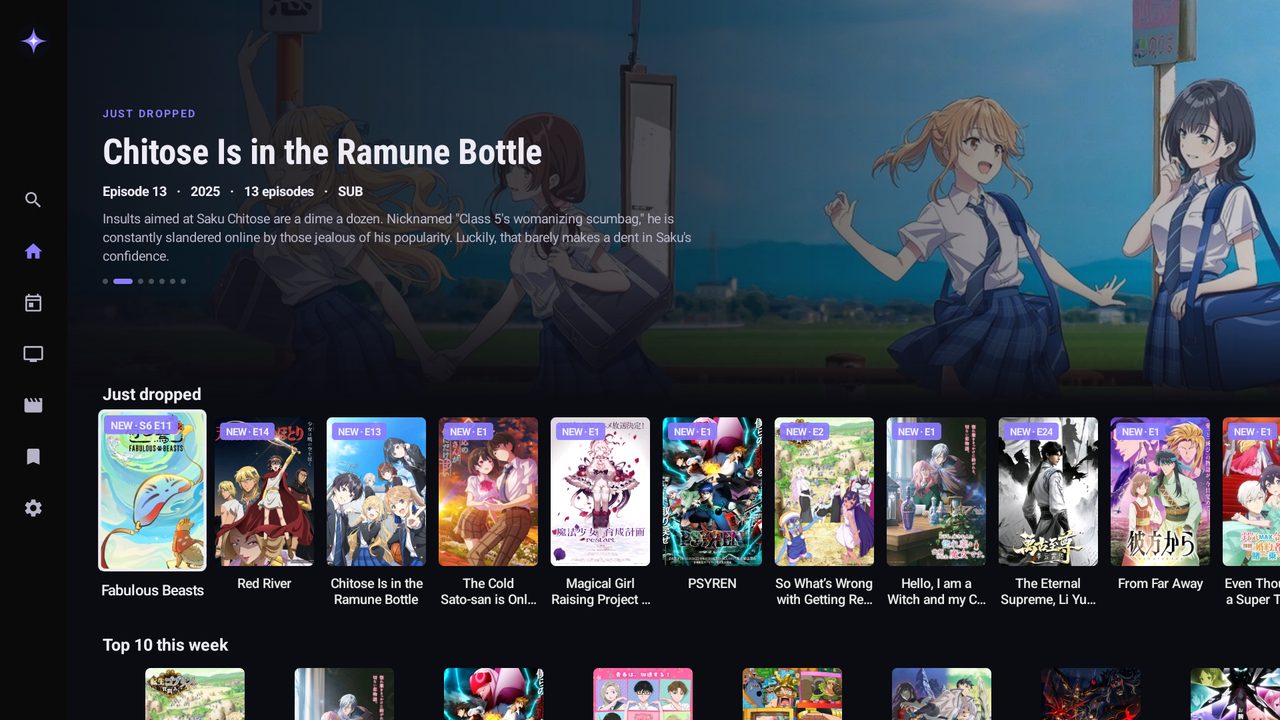
Home: what just dropped, first
Continue watching first, then New for you: the new episodes of the shows you follow or are watching, with the episode on the poster.
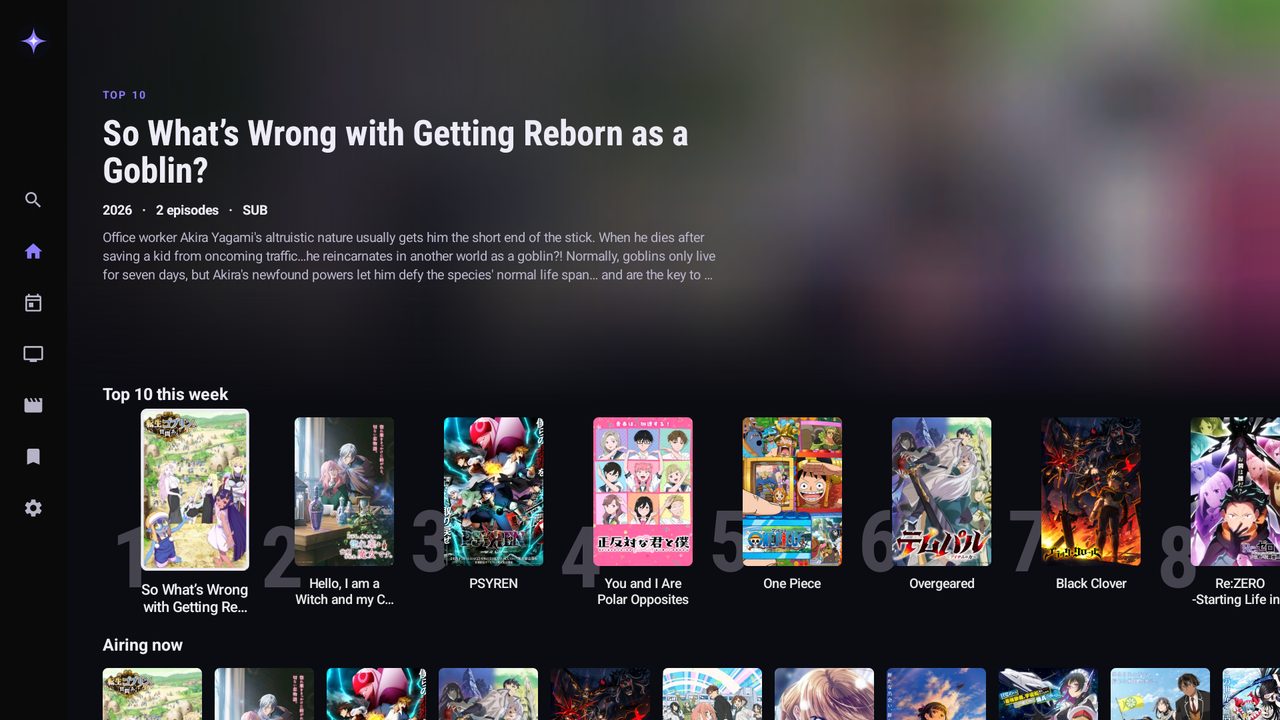
Top 10 this week, with key art
Picked for you and Because you watched: suggestions from what you watch, matched on genres and themes (isekai, time loops, found family…), never a show you've already started.
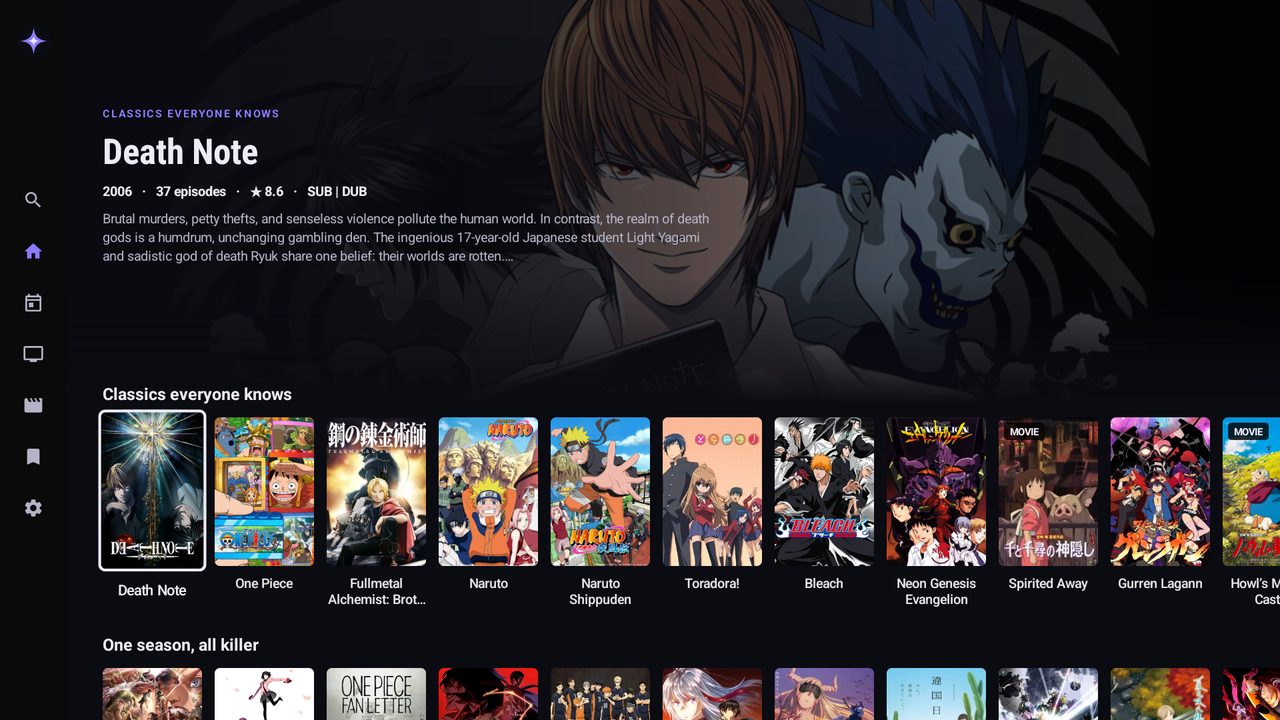
Explore: Classics everyone knows, One season all killer…
Explore: Top 10 this week, Hidden gems, Best of the 2010s, Vintage, Cozy and calm, Mind-benders and more.
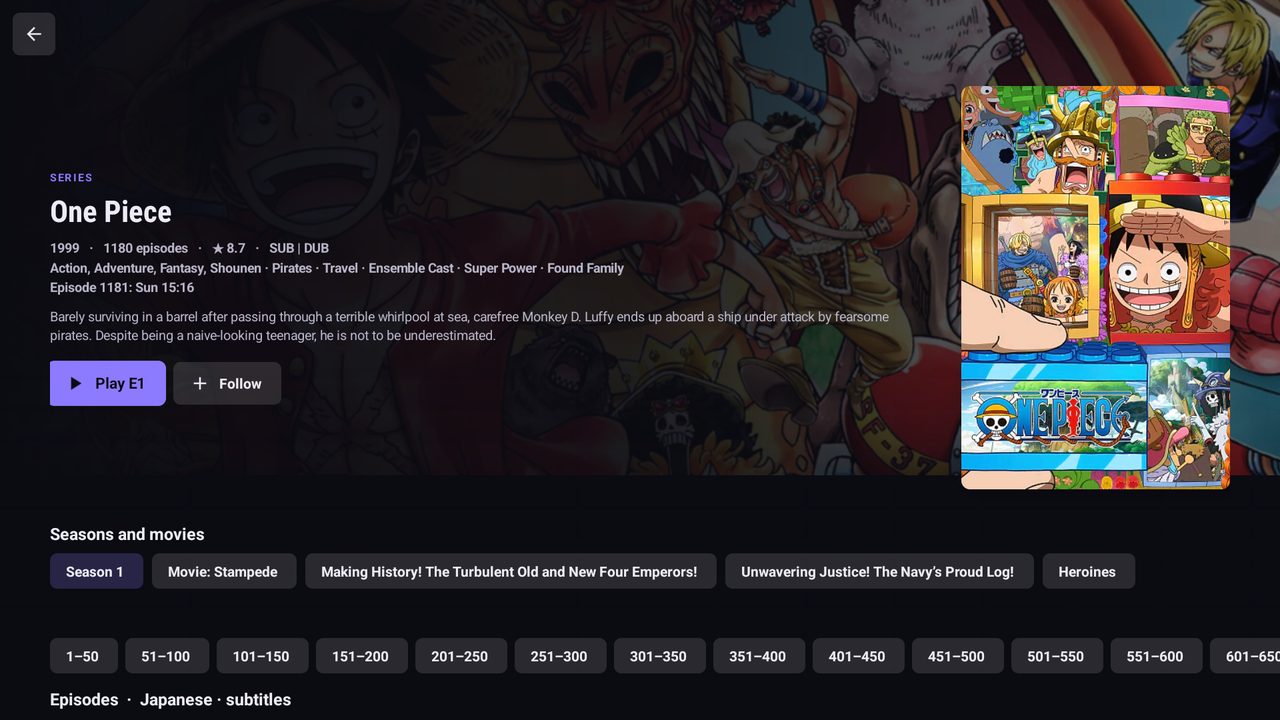
Show page: every season, movie and episode
Made for binging: every season and movie of a show in order on one page, Skip intro, and the next episode (and the next season) starts by itself.
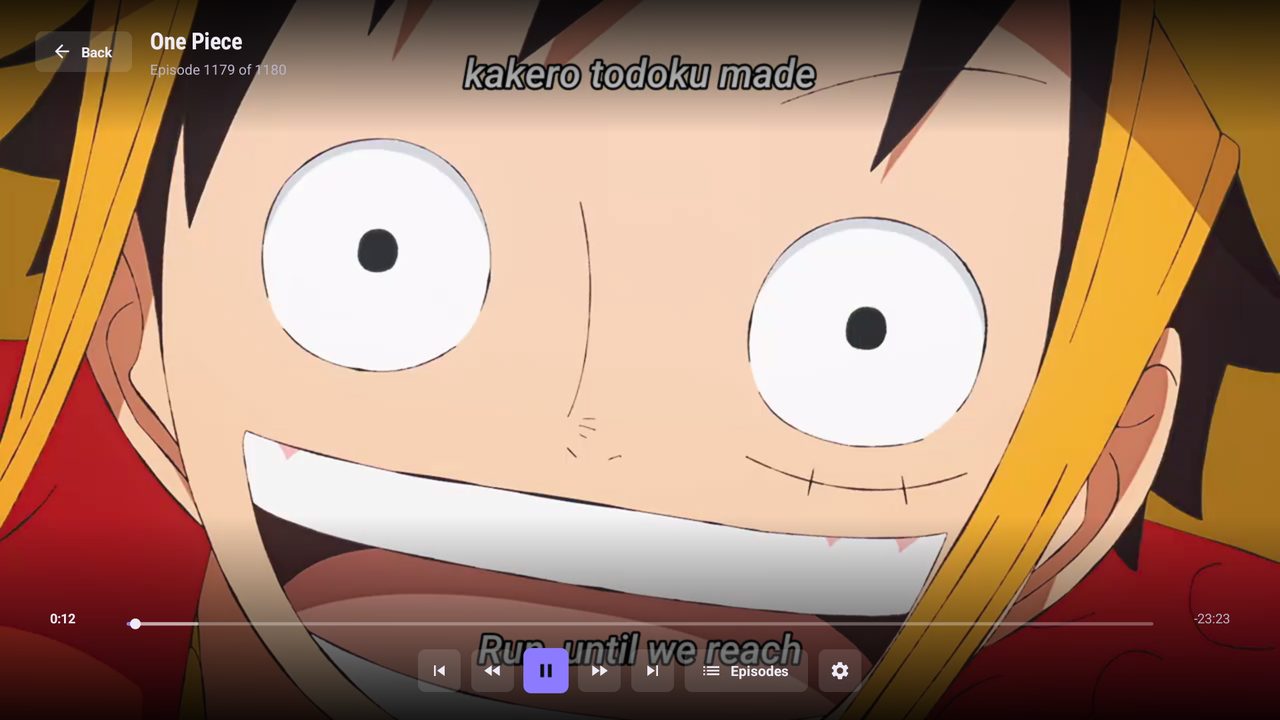
Player with subtitles and Skip intro
Quality: when a stream comes in several qualities, pick one in the player. If playback keeps stopping, the app offers a lower one.
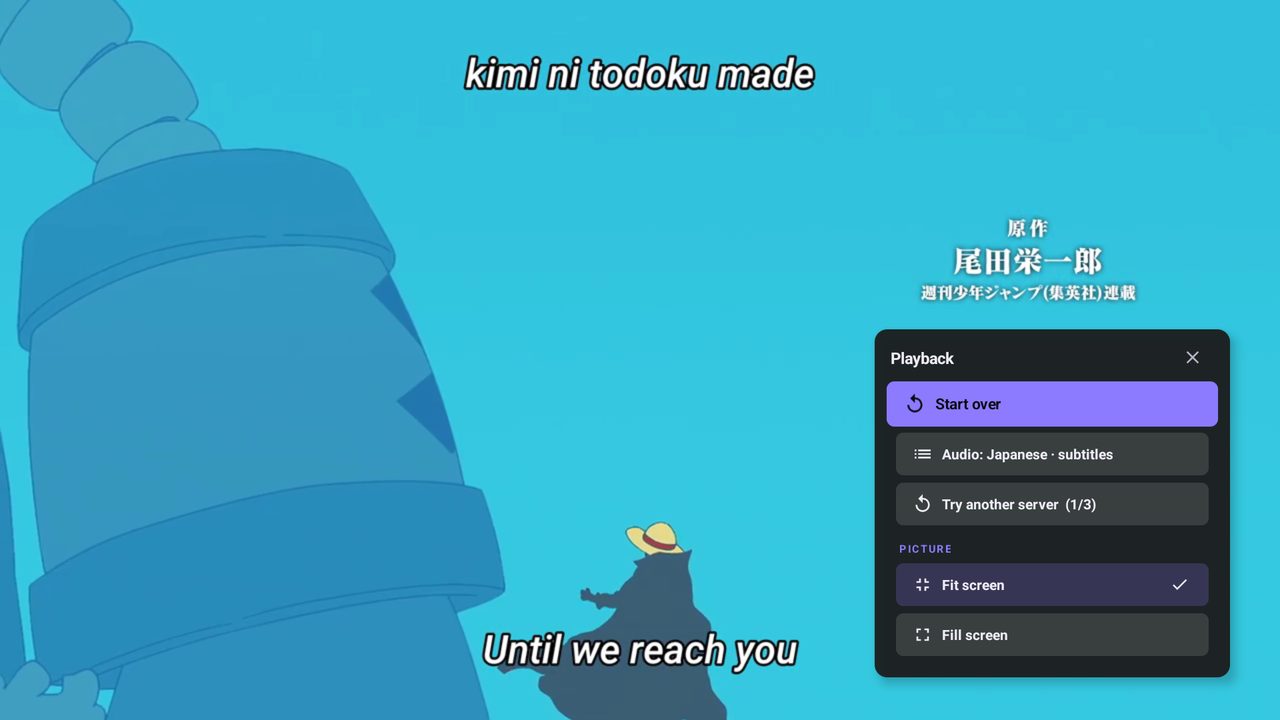
Sub or dub, switched in the player at the same second
Sub or dub, in the player: switch between Japanese with subtitles and the English dub at the same second. The app remembers it for the show.
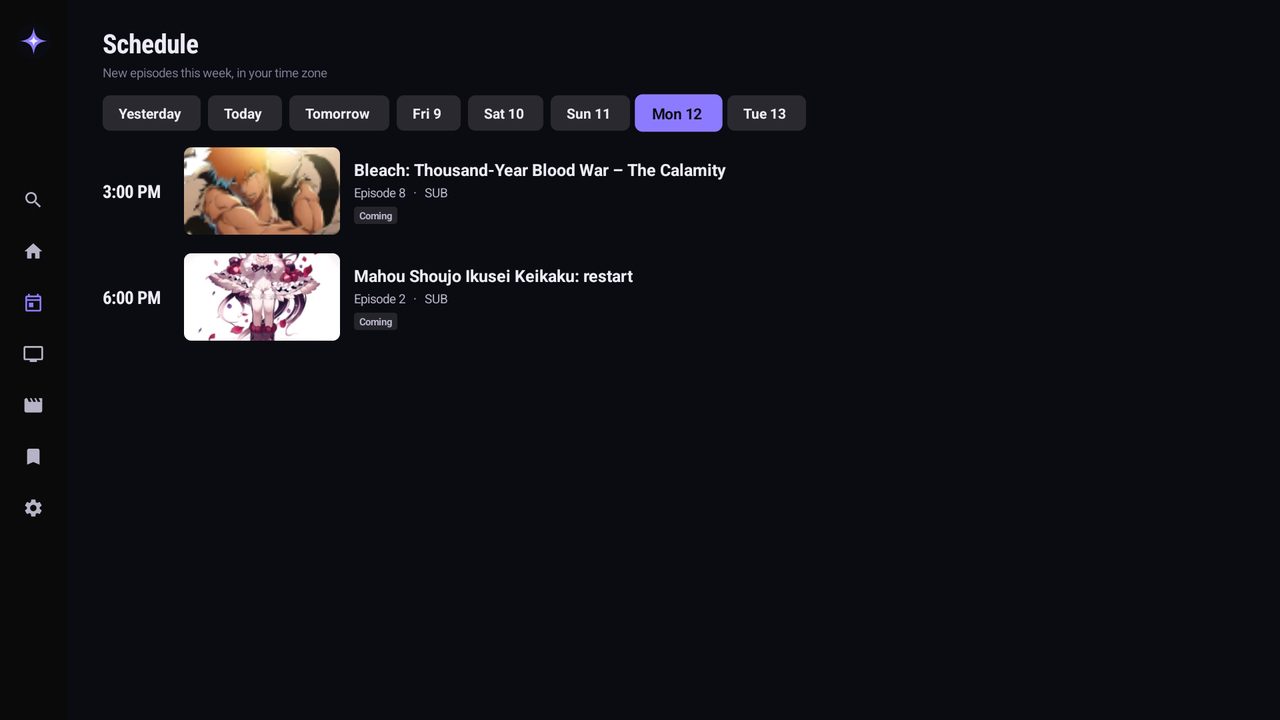
This week's new episodes, in your time zone
Schedule: the week's releases, in your time zone.
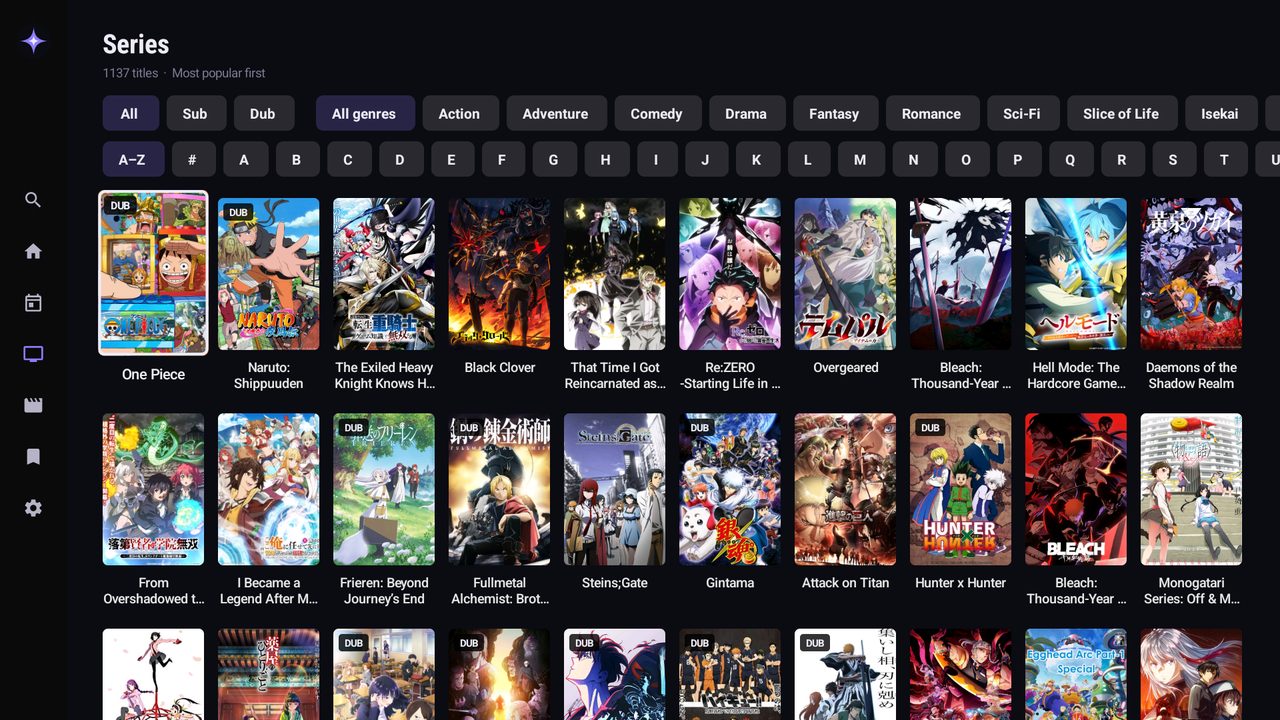
Every series with Sub, Dub, genre and A–Z filters
And also
No ads, no pop-ups
The app never opens a website.
18+ content
Stays hidden unless you turn it on with a PIN.
Download
Install the free Downloader app on the TV, open it and type the app's code. Downloader fetches the app and installs it.

Or scan with your phone to download it there.
Bankai TV
Prices
Pay in dinars for a year, then we send your code. No subscription that renews by itself.
Details
What you need
- A device: Android TV, Google TV, Fire TV, or an Android phone or tablet.
- Android 6.0 or newer.
- Internet: 5 Mbps or faster for HD.
- An activation code for one TV.
- On a TV: the free Downloader app (see the install guide).
- Not for iPhone, iPad, Apple TV, or Samsung (Tizen) and LG (webOS) TVs.
Permissions
Internet, the network state (to know when you're back online) and installing its own updates (Android asks you first); on phones, notifications for new episodes of saved series (Android asks first). The app has no access to your files, camera, microphone, contacts or location.
What's new
- 1.1.0 · 2026-10-13
Bankai TV 1.1. Kids mode with a Parent PIN; an Explore tab with every category; a shorter Home; one Browse screen whose filters combine; tags in French and Arabic; New for you as soon as the app opens; a picture for each episode; servers numbered (Server 1, 2…) and a broken one skipped in a second; People also liked now works; clear messages when the internet or a site is down. - 1.0.2 · 2026-10-07
Faster on entry-level TVs: Home opens sooner, rows glide smoothly and use far less memory, and the player no longer freezes when you go back, pause and skip ahead in quick succession. - 1.0.1 · 2026-10-07
The Schedule now comes live from AniList's announced episodes, checked every few hours: new episode times appear on their own and a show that ends leaves the Schedule. - 1.0.0 · 2026-10-07
Bankai TV 1.0. Home opens on Continue watching, then New for you and Just dropped, with the episode written on the poster (NEW · S2 E5). New rows: Because you watched and Picked for you. Sub or dub now switches inside the player at the same second, and streams with several qualities get a Quality choice. Cards show the show's name only; seasons are picked on the show page. The app tells you when a new version is out. - 0.1.0 · 2026-10-05
First version: New for you, Schedule, sub and dub, Top 10 and explore rows, Skip intro, 18+ content behind a PIN.
Check the file
dfe56d40b7d13230b88aa7a9b571d11ffa783468646c2411b48dcf376318fe8eDC:50:19:98:3E:59:73:7C:56:D1:B3:FC:51:9D:A9:78:5B:E1:D6:D8:27:93:B8:DE:43:43:64:F3:7E:02:78:F5Bankai TV is an unofficial app. It plays anime published on public websites and doesn't host or own any video. Not affiliated with those websites or with the rights holders.
Your download has started
When it finishes, tap the download (in the notification or in Downloads) and choose Install. If Android asks, allow your browser to install apps.
TV browsers don't open the app after downloading. The easiest way: open the Downloader app and type
Downloader installs it right away. Or open this browser's Downloads, choose toons.apk and press Install.